4TB SSD Hard Drive External Explained: A UK Buyer's Guide
Short answer: a 4TB SSD hard drive external is a strong working drive for photographers and videographers who edit on the move — enough room for current jobs, and fast enough to scrub 4K and run a Lightroom catalogue without stutter. For finished work, though, archive to a high-capacity desktop drive rather than filling expensive SSDs.
If a wedding or commercial shoot fills your laptop and pocket drive halfway through the import, a larger, faster external is the obvious fix. A 4TB external SSD gives you space to edit this season's jobs; the skill is knowing when to keep working off it and when to move a job into a proper archive.
What should a photographer know about a 4TB SSD hard drive external?
- 4TB is a realistic working size for RAW photo and 4K video — room for several jobs without the constant "disk full" warning mid-import.
- Editing off a fast SSD keeps a Lightroom catalogue and 4K timeline responsive in a way a spinning drive cannot match.
- Real speed is set by the USB standard and the drive together; a quick SSD on a slow port runs slow.
- One drive is one point of failure with no RAID — always keep a second copy of client work.
Why a 4TB external SSD suits photographers and creatives
Shooters reach for a bigger external for one reason: the working drive and a small pocket drive fill up, often halfway through importing a single wedding. A 4TB SSD holds several current jobs at once, so you are not juggling cards and clearing space between edits. Because there are no moving parts, it is quiet on a desk and rugged enough to travel between a shoot and the studio.
Editing off the drive versus storing on it
The point of a fast SSD is that you can edit straight from it. Scrubbing 4K footage and loading a large Lightroom catalogue stay responsive, which is where a mechanical drive struggles. Keep the current season's jobs on the SSD while you work them; once a job is delivered and signed off, it becomes archive material rather than working data.
How do you judge real USB-C speed?
Do not buy on the number on the box alone. Real-world sequential speed comes from the slower of the port and the drive. Over USB 3.2 Gen 2 (10 Gbps) a good NVMe external SSD reads at around 950–1,050 MB/s; a 20 Gbps (Gen 2x2) drive can reach roughly 1,500–2,000 MB/s. Connect the very same drive to an older USB 3.0 port (5 Gbps) and it is capped near 400–500 MB/s. Match the drive to your computer's fastest port, and use the cable that came with it — the wrong cable can quietly drop you to a slower standard.
The catch with a single 4TB SSD: no redundancy
A single external drive, however fast, is one point of failure with no RAID behind it. For irreplaceable client work that is a real risk, and it is the fear most photographers name: one drive dies and a whole job is gone. Treat the SSD as your working copy and follow a simple 3-2-1 habit — keep at least one more copy, ideally off-site, so a delivered wedding can still be pulled up if a client comes back for it three years later. For Mac-based editors setting up that safety net, our external hard drive for Mac guide covers Time Machine and formatting.
When to stop buying SSDs and archive instead
SSDs are the right tool for active editing, but they are an expensive way to store finished work you rarely open — and an unpowered SSD is not ideal for a shelf archive, because its cells slowly lose charge over a year or more. Once a job is done, move it to a high-capacity desktop hard drive, which holds data reliably for years and costs a fraction per terabyte. That way the fast 4TB SSD stays clear for live work, and your back catalogue lives somewhere cheaper and more durable. Our 18TB hard drive guide explains how one desktop drive consolidates an entire archive.
Buying checklist
- Interface — a 10 Gbps (USB 3.2 Gen 2) drive is the sweet spot for editing on the move.
- Working capacity — 4TB holds several RAW/4K jobs; size it to how many you keep live at once.
- Durability — no moving parts is an advantage in a camera bag.
- Backup — never let the only copy of client work live on one drive.
Archive finished jobs affordably: the Diskly 18TB desktop drive
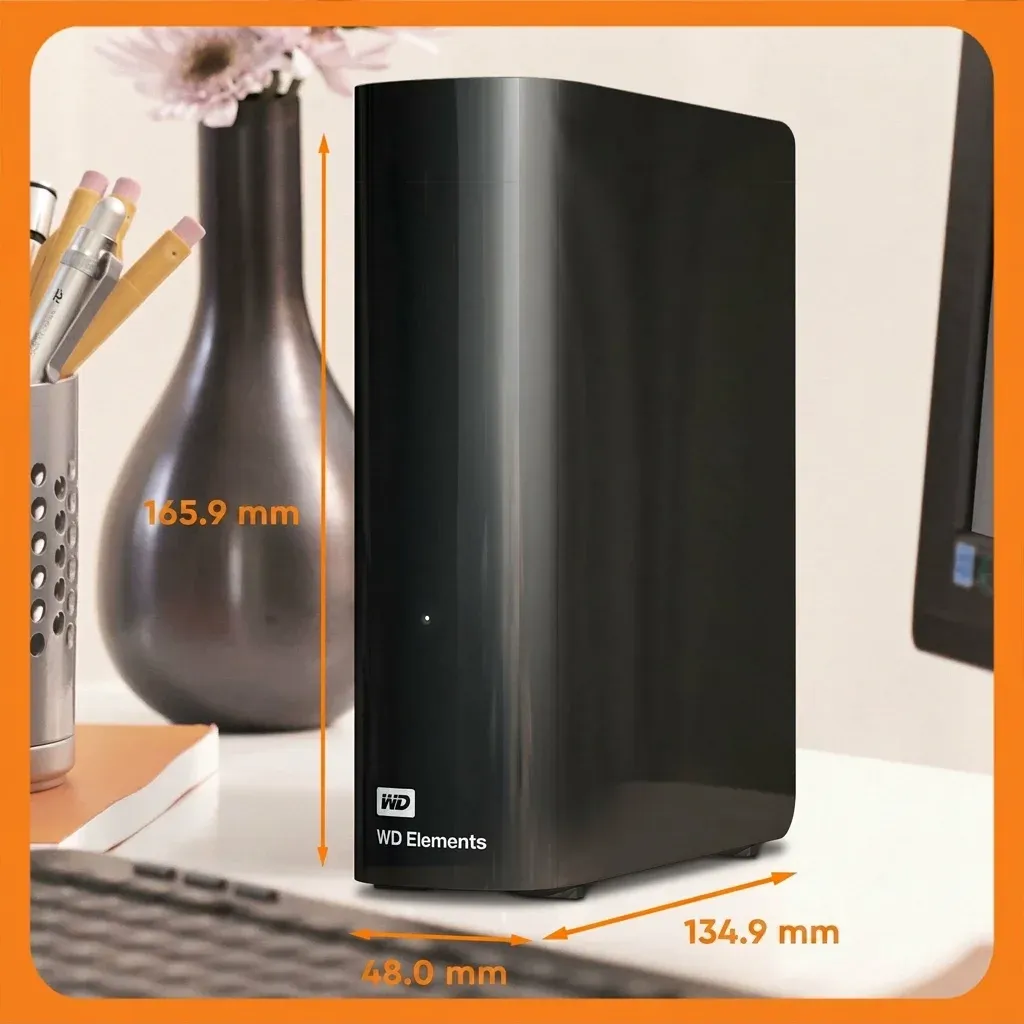
When a season of shoots turns into an archive, the Diskly WD 18TB Elements Desktop gives you somewhere durable and cheap per terabyte to keep it all. It offers 18TB (around 16–16.5TB usable after formatting) over USB 3.0, sits on the desk as a mains-powered 3.5-inch unit, and arrives pre-formatted for Windows — reformat to APFS or exFAT for Mac in Disk Utility if you need it. At £319.99 inc. VAT (£266.66 ex. VAT) it comes with free UK next-day delivery, a 12-month warranty with UK support and 30-day returns, and is rated 4.7 out of 5 from 361 reviews.
Keep the SSD for live edits — archive delivered jobs for less
Shop the WD 18TB Elements desktop drive — £319.99Frequently asked questions
Is a 4TB external SSD big enough for photo and video work?
For a working drive, yes. 4TB holds several RAW photo and 4K video jobs at once, so you are not clearing space mid-import. Once jobs are delivered, move them to a high-capacity desktop hard drive so the SSD stays free for live editing.
How do I get the full speed from a 4TB USB-C SSD?
Connect it to a port that matches its rating. Over USB 3.2 Gen 2 (10 Gbps) a good external SSD reads at around 950–1,050 MB/s, but on an older USB 3.0 port it is capped near 400–500 MB/s. Use the supplied cable, as the wrong one can drop the speed.
Can I edit a Lightroom catalogue directly from an external SSD?
Yes. A fast external SSD keeps a Lightroom catalogue and 4K timeline responsive, which is why it works as a working drive. A spinning hard drive is better kept for storage than for live editing.
Should I rely on one 4TB SSD for client work?
No. A single drive has no redundancy, so keep at least one more copy of anything irreplaceable, ideally off-site, following a 3-2-1 approach. A desktop hard drive is a cost-effective home for that second, long-term copy.
Outgrown portable SSD capacity? Consolidate on desktop storage.
Shop WD 18TB Desktop — £319.99 · Free UK Delivery12-month warranty · 30-day returns